
bittyBIG Dynamic Camera for Stencyl
A downloadable tool
bittyBIG Dynamic Camera System for Stencyl (Engine Extension)
Modern camera control for Stencyl games.
The bittyBIG Dynamic Camera System gives Stencyl developers a flexible camera and viewport pipeline for smoother movement, cleaner pixel-art presentation, zoom, split-screen, picture-in-picture, screenshake, camera rotation, viewport effects, and more.
Build better-feeling cameras without leaving Stencyl’s familiar block workflow.
What you get
- Custom camera system for Stencyl
- Multiple cameras
- Multiple viewports
- Split-screen layouts
- Picture-in-picture camera views
- Pixel-perfect camera sizing
- Instant zoom and tweened zoom
- Camera movement presets
- Grid-based camera movement
- Camera rotation
- Screenshake
- Viewport rotation and flipping
- Viewport backgrounds and borders
- Display area control
- Background color and image support
- Interactive documentation
- Copyable setup examples
Stop fighting the default camera.
Stencyl’s built-in camera works for simple projects, but polished games often need more control.
This extension helps with:
- Smoother camera movement
- Cleaner actor centering
- Better pixel-art scaling
- Split-screen layouts
- Picture-in-picture views
- Cinematic zooms
- Camera shake
- Camera rotation
- Viewport-level presentation effects
You keep Stencyl as your editor, scene tool, actor workflow, block system, and asset pipeline. The Dynamic Camera System handles the modern camera/output layer.
Smooth camera movement
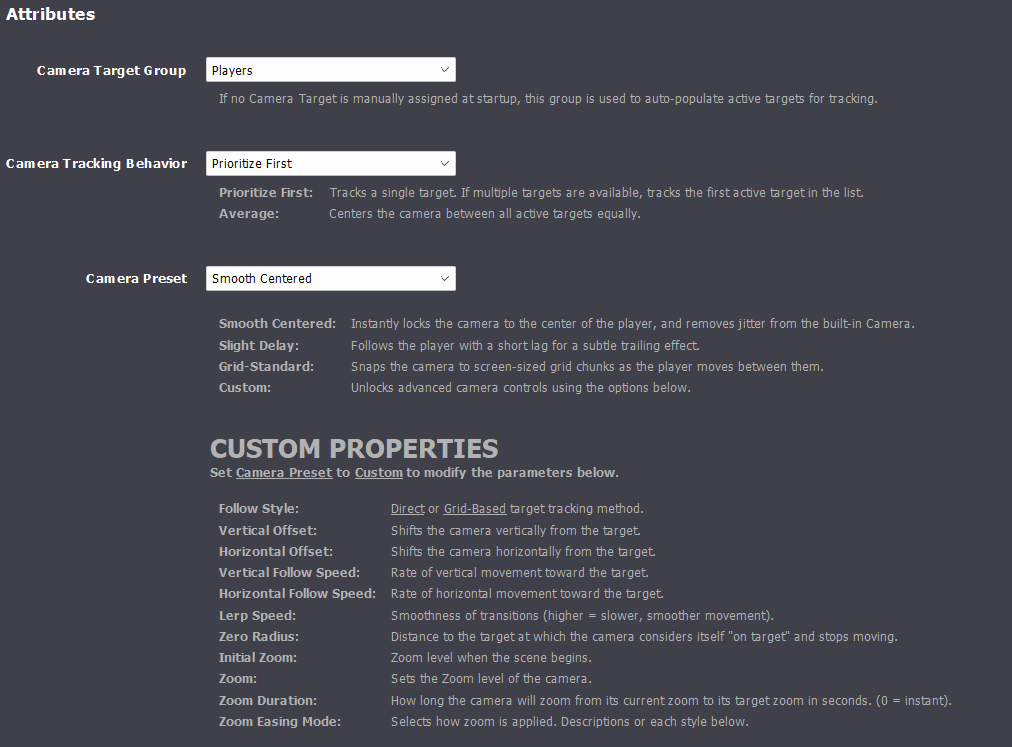
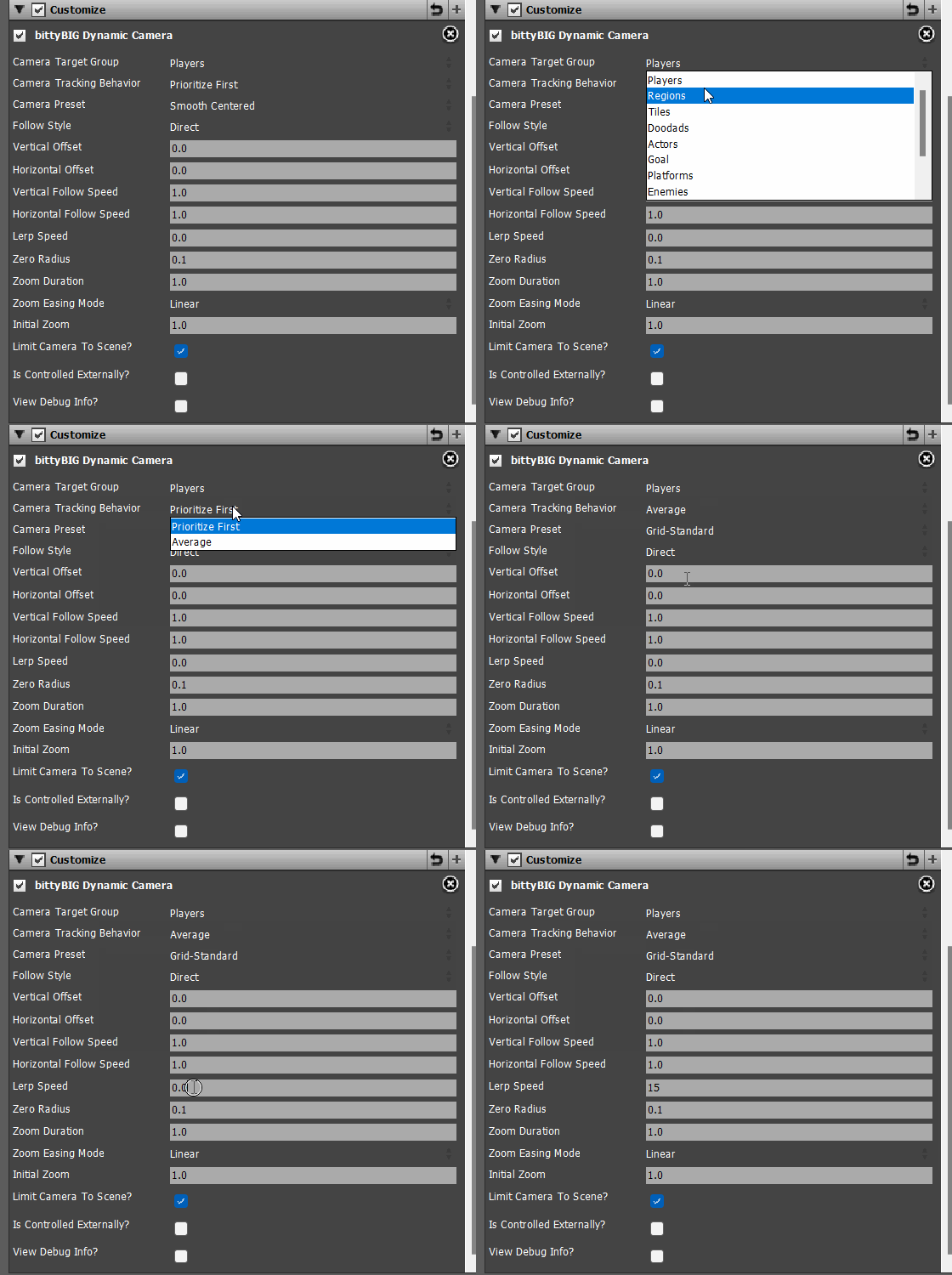
Use direct follow, smooth centered movement, delayed follow, and grid-based presets. Set target centers, actor targets, offsets, follow speed, lerp speed, and zero-radius snapping for cleaner camera behavior.
Great for:
- Platformers
- Top-down games
- Room-based cameras
- Cinematic movement
- Grid-based screen transitions
- Puzzle games
- Metroidvania-style scenes
Zoom and tweened zoom
Set zoom instantly or tween smoothly over time with easing modes.
Use zoom for:
- Combat impact
- Boss introductions
- Room reveals
- Cutscenes
- Puzzle focus
- Dramatic camera moments
Split-screen and picture-in-picture
Render different cameras to different viewports for local multiplayer, minimaps, boss views, security monitors, cinematic overlays, or debug views.
The system supports:
- Full-screen camera layouts
- Left/right split-screen
- Top/bottom split-screen
- Four-view layouts
- Picture-in-picture
- Multiple cameras
- Multiple viewports
Pixel-perfect display behavior
Control camera size, viewport size, and final display output intentionally so pixel-art games stay crisp and predictable.
For example, a 320x180 camera inside a 1920x1080 viewport gives a clean 6x pixel-perfect view.
Camera and viewport effects
Add presentation effects directly from Stencyl blocks:
- Camera rotation
- Screenshake
- Viewport rotation
- Horizontal viewport flip
- Vertical viewport flip
- Viewport background color
- Viewport borders
- Display area background color
- Display background image
Built for Stencyl users
The system is built around Stencyl blocks, so you can set up cameras and viewports without writing custom engine code.
Use it from Stencyl’s block palette, combine it with your existing scenes and actors, and keep your normal Stencyl workflow.
Interactive documentation included
The documentation includes:
- Project setup guide
- Quick start guide
- Scene setup guide
- Common layout examples
- Interactive viewport setup builder
- Stencyl block glossary
- Copyable setup blocks
- Troubleshooting/FAQ section
- Release notes
The viewport builder helps you preview layouts and generate setup blocks for your project.
Documentation: https://docs.bittybigstudio.com/dynamic
Version 1.0.x includes
- Custom cameras
- Camera sizing
- Actor centering
- Target movement
- Smoothing
- Camera offsets
- Grid-based movement
- Camera presets
- Zoom
- Tweened zoom
- Camera rotation
- Screenshake
- Camera transition checks
- Viewport layout
- Split-screen support
- Picture-in-picture support
- Viewport backgrounds
- Viewport borders
- Viewport transforms
- Display area control
- Background color support
- Background image support
- Unlocked cameras
- Pixel-perfect display behavior
Requirements
- Stencyl
- bittyBIG Dynamic Camera System extension installed in your Stencyl engine extensions folder
Tested targets
- Windows: Tested
- HTML5: Tested
- Mobile: Tested for Android
Installation
- Download the extension package.
- Extract the folder into your Stencyl engine-extensions folder.
- Enable the extension in your Stencyl project.
- Restart/open the project if needed so Stencyl reloads the extension blocks.
- Add Initialize bittyBIG Dynamic Camera System at the beginning of each scene that uses the camera system.
- Create a camera, set its size, and center it on your player actor.
See the included documentation for full setup examples.
Quick start
Use this basic setup first:
- Initialize bittyBIG Dynamic Camera System
- Create Camera ID 0
- Set Camera to Width [x] Height [y] for Camera ID 0
- Set Camera Center to Actor [player] for Camera ID 0
Once that works, add presets, zoom, split-screen, picture-in-picture, viewport backgrounds, borders, and effects.
Support
Need help setting it up?
Join the bittyBIG Studio Discord: https://discord.gg/BR3WJM4zfG
You can also use the included documentation and FAQ for common setup issues.
Notes
This is a Stencyl extension made for developers who want stronger camera control while keeping Stencyl as the editor, scene tool, actor workflow, block system, and asset pipeline.
The goal is simple:
Make Stencyl cameras feel modern.
Purchase
In order to download this tool you must purchase it at or above the minimum price of $19.99 USD. You will get access to the following files:
Development log
- Small Update, v1.0.195 days ago
- It's Time!May 12, 2026
Comments
Log in with itch.io to leave a comment.
So... I have been working on multiple games that I have been utilizing a simple zoom feature and I have been learning about your work with your Dynamic Camera. One of those days you mention Camera jitter and I took interest.
All of a sudden I was noticing the Camera jitter you spoke of during my game tests. So I thought about your camera for a while and wasn't sure if I needed it. But the Camera jitter was starting to bother me. Then yesterday I decided to purchase your Dynamic Camera. I wanted to see if I could integrate it into my game and see if the jittering could be resolved. ...and it worked. It took me a few minutes to see how I could attach it to my project and utilize it. But once I did, I realized I was rather happy with the results. I integrated your Dynamic Camera into my largest project with over 2000 complex scenes with ease. Now I have decided to integrate it in all of the current projects I am working on before I release them. And I will be using it in all of the projects moving forward regardless if a camera if necessary or not. Excellent work Leon.
Thank you! I really am glad you like it. If you ever need help or anything just reach out!
Very cool and super helpful!
Thank you! I’m glad you like it.